To use the Anker SOLIX C1000 Gen 2 Power Station, fully charge the battery, connect your devices to the correct output ports, and monitor the display during operation. Always match your device’s power requirements with the available output and recharge the unit after use for the best battery life.
The demand for portable power stations continues growing as more households prepare for outages and outdoor activities. Recent reports show millions of homes experience power interruptions annually, while portable energy storage adoption keeps increasing. If you are researching the Anker SOLIX C1000 Gen 2 portable power station, learning proper operation helps maximize safety and battery performance. This guide explains every important step using simple instructions for beginners and experienced users.
What Is the Anker SOLIX C1000 Gen 2 Power Station?
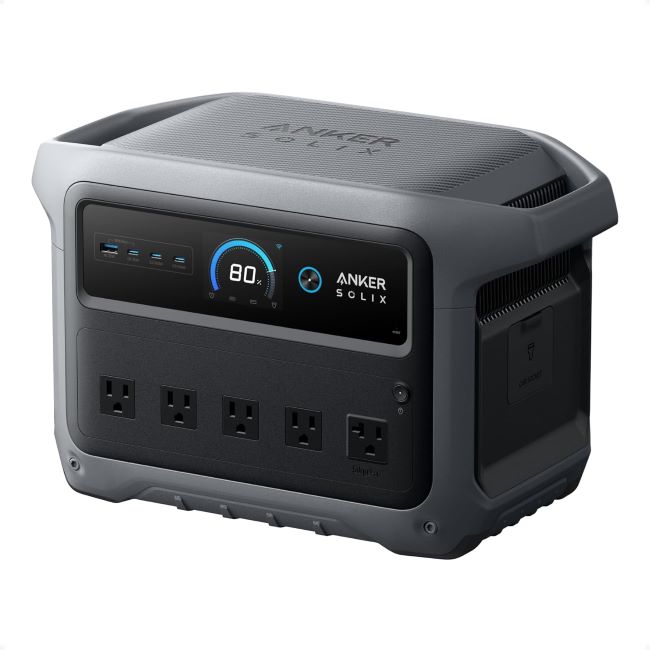
The Anker SOLIX C1000 Gen 2 Power Station is a rechargeable portable battery for powering electronic devices. It supplies electricity through AC outlets, USB ports, and DC connections.
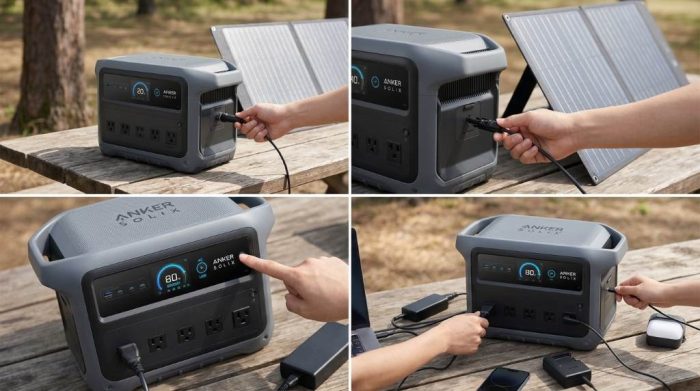
Its lithium iron phosphate battery provides long service life and dependable performance. Additionally, the built in battery management system helps protect connected devices during operation.
What Comes Inside the Box?
Before using the unit, verify every included accessory is available. This quick inspection prevents unnecessary setup delays later.
- Anker SOLIX C1000 Gen 2 Power Station
- AC charging cable
- User documentation
- Warranty information
How to Set Up the Power Station
Place the Unit Correctly
Position the power station on a flat, stable, dry surface before connecting any equipment. Keep enough space around the ventilation openings for continuous airflow.
Avoid direct sunlight, excessive moisture, and enclosed cabinets during operation. Proper ventilation supports better cooling and reliable long term performance.
Perform the First Charge
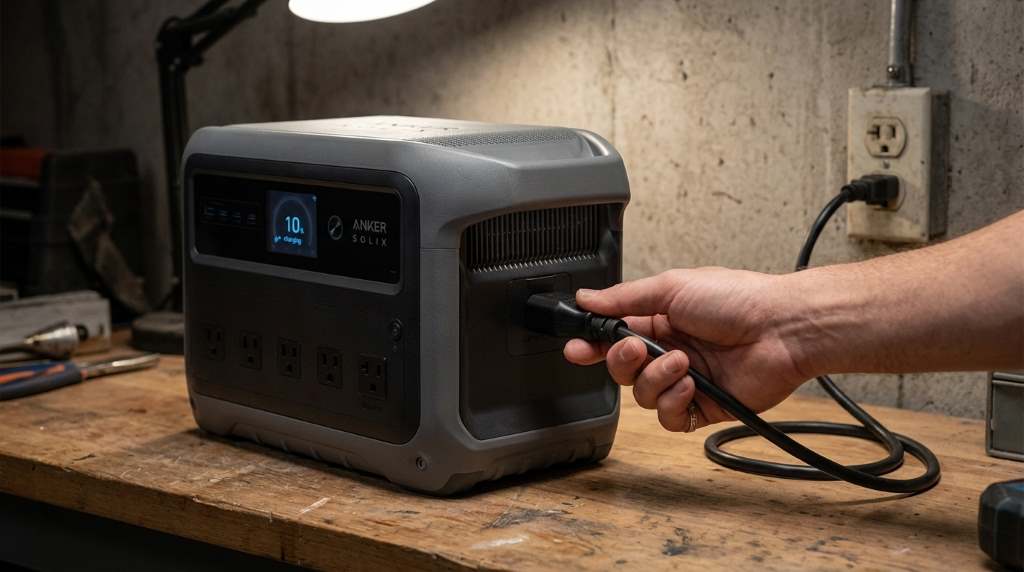
Connect the supplied AC charging cable to a compatible wall outlet. Then allow the battery to reach a full charge before first use.
The display clearly shows charging progress throughout the process. Fully charging the battery helps calibrate power readings more accurately.
How to Turn the Power Station On
Press the main power button until the display activates. Next, review the battery percentage and output indicators before connecting devices.
Enable only the output section you plan to use during each session. This simple habit reduces unnecessary battery consumption.
How to Connect Different Devices
Using AC Outlets
Connect household electronics directly into the AC outlets after enabling AC output. Confirm the combined power demand remains within supported limits.
Small appliances, laptops, televisions, and charging adapters usually work without difficulty. However, always verify appliance wattage before operation.
Using USB Ports
USB ports provide convenient charging for phones, tablets, cameras, and many accessories. Choose the appropriate USB connection for faster charging speeds.
Connect quality charging cables for reliable performance every time. Damaged cables may reduce charging efficiency or create unnecessary connection issues.
Using DC Output
Some portable equipment requires DC power instead of standard AC electricity. Select the proper DC connection before powering compatible equipment.
Read the equipment manual carefully before using any specialized connector. Following manufacturer recommendations improves safety and performance.
Understanding the Display Screen
The front display provides important operating information during every use. Battery percentage, charging status, output power, and remaining runtime appear clearly.
Review the display regularly while powering multiple devices simultaneously. This practice helps prevent unexpected battery depletion.
Charging the Power Station
Charging with AC Power
Wall charging remains the fastest and simplest charging method for most users. Connect the supplied cable securely before starting the charging cycle.
Disconnect the cable after reaching a full battery level. This habit keeps your equipment organized and ready for future use.
Charging with Solar Panels
Compatible solar panels provide renewable charging during outdoor adventures or emergencies. Position the panels where direct sunlight remains available.
Cloud cover and seasonal conditions naturally affect charging speed. Therefore, allow additional charging time during poor weather.
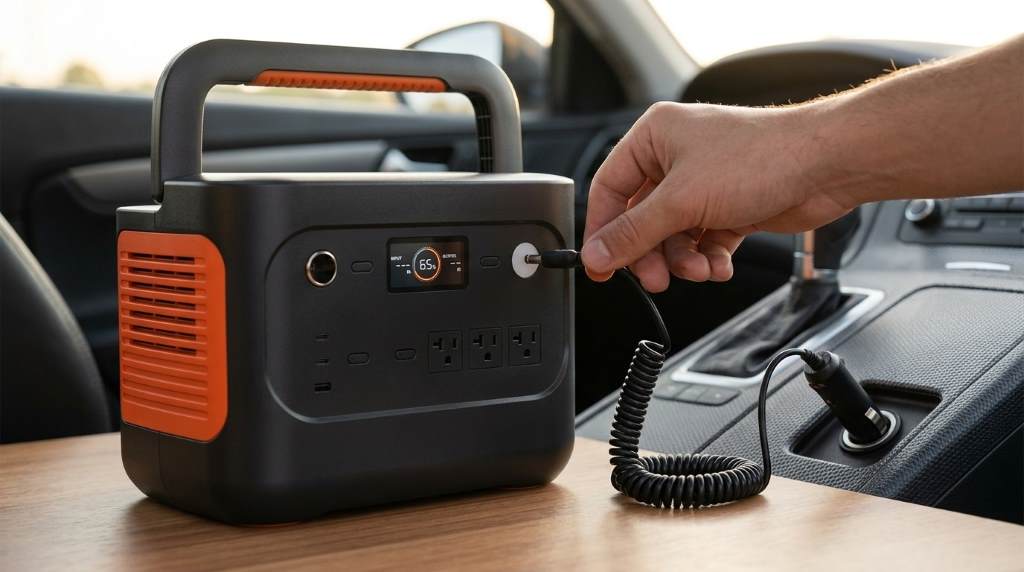
Charging Inside a Vehicle
Vehicle charging offers another convenient backup solution while traveling. Start the vehicle before beginning the charging process whenever possible.
Follow the recommended charging accessories for dependable performance. Using compatible equipment protects both the vehicle and power station.
Best Practices for Daily Use
Good operating habits help maintain reliable performance throughout the battery’s lifespan. Small maintenance steps often prevent larger problems later.
- Recharge after heavy usage whenever possible.
- Keep ventilation openings free from dust.
- Store the battery with partial charge during extended storage.
- Inspect cables before every charging session.
- Avoid placing heavy objects on the power station.
Common Mistakes to Avoid
Many beginners accidentally reduce efficiency through simple operating mistakes. Fortunately, these problems remain easy to prevent.
- Overloading the maximum output capacity.
- Blocking cooling vents during operation.
- Using damaged charging cables.
- Ignoring battery level before extended use.
- Leaving the unit in excessive heat.
Basic Maintenance Tips
Clean the exterior using a soft dry cloth whenever dust accumulates. Never apply harsh cleaning chemicals directly onto the housing.
Store the power station indoors when not actively using it. Additionally, recharge the battery periodically during long storage periods.
When Should You Use This Power Station?
The power station supports many everyday situations requiring dependable portable electricity. Its flexible outputs handle numerous common electronic devices.
- Home emergency backup
- Camping trips
- Outdoor photography
- Remote work locations
- Road travel
- Power outages
Troubleshooting Simple Problems
If the unit does not power on, verify the battery still contains sufficient charge. Next, confirm the power button was pressed correctly.
If connected devices receive no electricity, confirm the correct output remains enabled. Also inspect cables and connectors for visible damage.
Should charging appear unusually slow, inspect the charging source and cable connections carefully. Environmental temperature may also influence charging performance.
Conclusion
Learning how to use Anker SOLIX C1000 Gen 2 Power Station correctly improves safety, efficiency, and long term reliability. Following proper charging, storage, and operating practices helps you enjoy dependable portable power whenever you need it.
Read the official user guide, follow recommended safety instructions, and begin using your power station confidently. Good maintenance today helps deliver reliable performance for years.
Frequently Asked Questions
How long should I charge the power station before first use?
Charge it completely before the first use for the best battery calibration.
Can I charge multiple devices simultaneously?
Yes, as long as the combined power demand stays within the supported output limit.
Can I use solar panels with this power station?
Yes, compatible solar panels can recharge the battery efficiently under suitable sunlight.
Is it safe to leave devices connected?
Yes, but disconnect unused devices to reduce unnecessary battery consumption.
How should I store the power station?
Store it in a cool, dry location with a partial battery charge for long term storage.