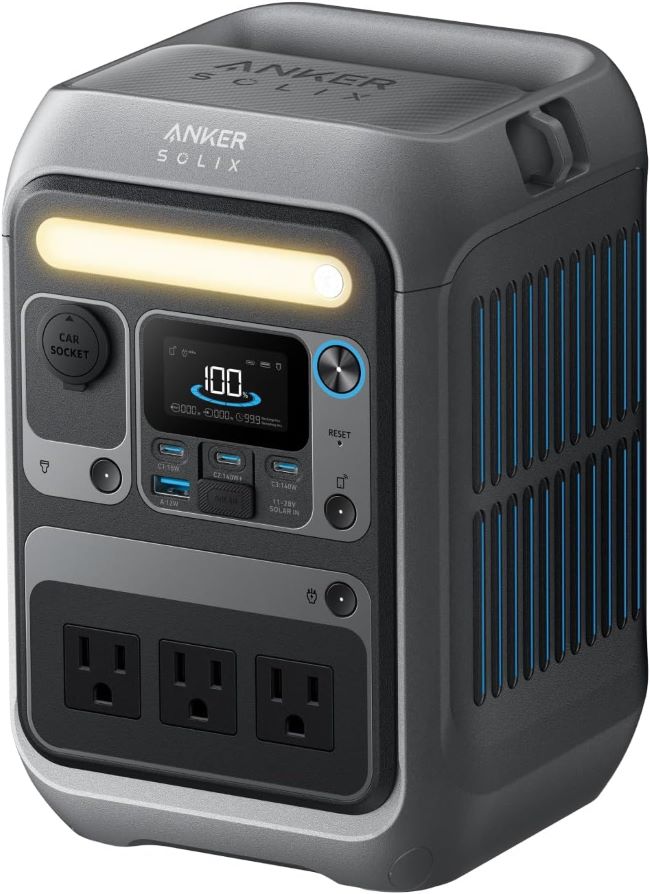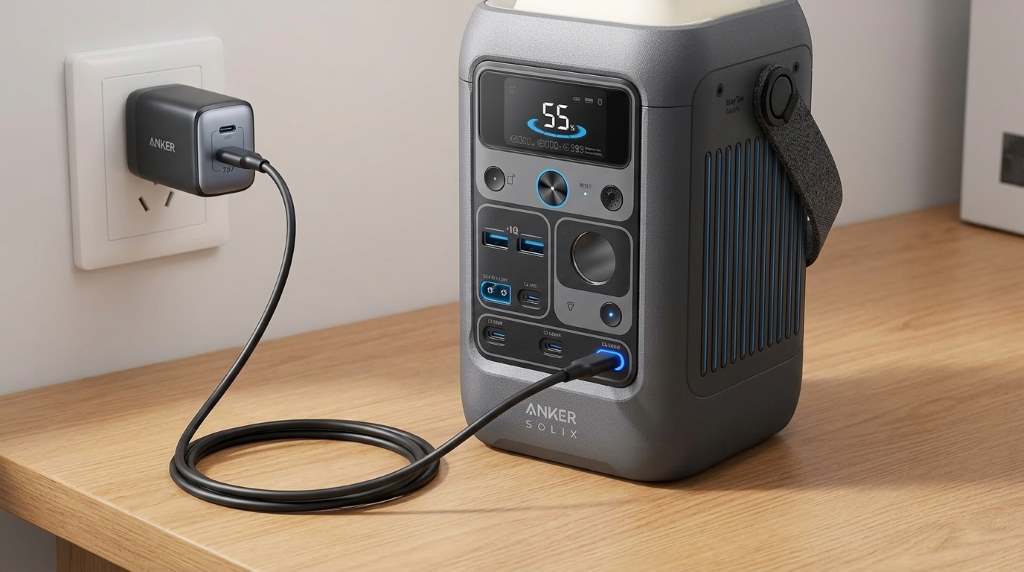
Charge the Anker SOLIX C300 DC Power Bank by connecting it to a compatible AC charger, solar panel, car charger, or USB C input that matches the supported specifications. Always use quality charging accessories and monitor the display until the battery reaches your preferred level.
The growing portable power market continues expanding, with millions of users relying on compact energy solutions every year. Meanwhile, battery powered devices now support work, travel, and emergency preparedness more than ever. If you also use the Anker SOLIX C300 DC power bank station, understanding the correct charging process improves battery health and daily performance. Proper charging also reduces unnecessary wear while helping the unit deliver reliable power whenever needed.
Why Proper Charging Matters
Correct charging keeps the battery operating efficiently for a longer period. It also helps maintain consistent power output during regular use.
Following recommended charging practices reduces unnecessary heat buildup during every charging session. As a result, the internal battery experiences less long term stress.
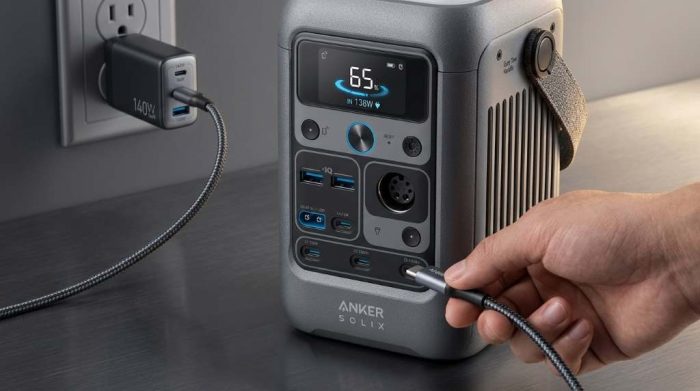
Ways to Charge the Anker SOLIX C300 DC Power Bank
The power bank supports multiple charging methods for different situations. Therefore, users can recharge almost anywhere with suitable equipment.
AC Wall Charging
Wall charging offers the fastest and most convenient charging method for most users. Simply connect the official charger to the AC input port.
Next, plug the adapter into a reliable wall outlet before checking the display screen. The battery percentage should begin increasing within a few moments.
Solar Panel Charging
Solar charging provides an excellent solution for camping and outdoor adventures. However, charging speed depends on sunlight intensity and panel capacity.
Place the solar panel under direct sunlight without shade or obstructions. Then connect the compatible solar cable securely to the power bank.
Car Charging
You can also recharge the unit while driving using a compatible vehicle charger. This option works well during road trips or extended travel.
Start the vehicle before connecting the charging cable to avoid draining the car battery. Afterward, confirm charging status on the display.
USB C Charging
Many compatible USB C chargers can recharge the power bank efficiently. Always verify the charger meets supported power delivery requirements.
High quality USB C cables improve charging reliability and reduce unnecessary power loss. Consequently, charging remains stable throughout the session.
Step by Step Charging Instructions
- Place the power bank on a flat, ventilated surface.
- Select a compatible charging method.
- Inspect the charging cable for visible damage.
- Connect the cable firmly to the charging input.
- Connect the charger to its power source.
- Confirm the charging indicator appears.
- Allow charging until your preferred battery level.
- Disconnect the charger carefully after completion.
How Long Does Charging Usually Take?
Charging time varies according to the selected power source and charger output. Higher wattage compatible chargers generally recharge the battery faster.
Solar charging often requires additional time because weather conditions constantly change. Likewise, vehicle charging speed depends on available output power.
Best Charging Practices
Simple charging habits improve long term battery performance and everyday reliability. Furthermore, they help maintain safe operating temperatures.
- Use certified charging accessories whenever possible.
- Keep ventilation openings free from dust.
- Avoid covering the unit while charging.
- Disconnect after reaching full charge if practical.
- Store the battery with partial charge during long inactivity.
- Keep the device away from excessive moisture.
Common Charging Mistakes to Avoid
Several common mistakes reduce charging efficiency and battery lifespan over time. Fortunately, avoiding them requires only basic attention.
- Using damaged charging cables.
- Charging inside extremely hot environments.
- Blocking airflow around the power bank.
- Ignoring compatibility requirements.
- Leaving connectors partially inserted.
- Using low quality third party accessories.
Charging Safety Tips
Safe charging protects both the battery and connected equipment. Therefore, inspect cables before every charging session.
Immediately stop charging if unusual heat, odor, or visible damage appears. Instead, contact the manufacturer for proper assistance.
How to Check Charging Status
The built in display provides useful charging information during operation. Users can easily monitor battery percentage and charging progress.
Check the screen occasionally rather than disconnecting the cable repeatedly. This habit minimizes unnecessary connector wear over time.
How to Store the Power Bank After Charging
Store the power bank inside a cool and dry location after charging. Avoid placing heavy objects directly on the device.
Recharge the battery periodically during long storage to maintain healthy battery condition. Consistent maintenance improves long term reliability.
Troubleshooting Charging Problems
If charging does not begin, inspect every connection before assuming hardware failure. Most charging problems involve cables or power sources.
- Test another compatible charging cable.
- Use a different wall outlet.
- Verify charger compatibility.
- Inspect charging ports for debris.
- Restart the power bank if supported.
- Review the user manual for error indicators.
When to Replace Charging Accessories
Replace accessories showing cracks, exposed wires, or loose connectors immediately. Damaged equipment increases safety risks and charging failures.
Quality replacement accessories deliver more consistent charging performance over many years. They also protect the battery from unstable power delivery.
Conclusion
Charging the Anker SOLIX C300 DC Power Bank correctly requires compatible equipment and simple maintenance habits. Following these recommendations helps maximize battery performance while supporting dependable everyday use.
Use reliable charging accessories, monitor battery status regularly, and practice safe charging every time. Start applying these tips today to keep your portable power ready whenever you need it.
Frequently Asked Questions
Can I charge the Anker SOLIX C300 DC Power Bank with solar panels?
Yes, compatible solar panels can safely recharge the power bank under suitable sunlight conditions.
Can I use any USB C charger?
Use a compatible USB C charger that meets the supported charging specifications.
Is overnight charging safe?
Modern protection features help, but disconnecting after charging remains a good practice.
Why is charging slower than expected?
Low power chargers, weak sunlight, or unsuitable cables commonly reduce charging speed.
How should I store the battery for several months?
Store it partially charged in a cool, dry place and recharge periodically.