Operating the Marbero 88Wh Power Station is simple. Charge the unit fully, connect your compatible device, press the correct output button, and monitor the battery level while using it. Following the recommended charging and safety practices helps the power station perform reliably and last longer.
The compact power station market continues growing because portable backup power supports travel, camping, and emergency preparedness. Industry reports estimate portable power station demand keeps increasing yearly as more households value reliable portable electricity. This guide explains everything you need to know about operating the Marbero portable power station 88Wh safely and efficiently. You will also learn practical maintenance tips that improve battery performance over time.
What Is the Marbero 88Wh Power Station?
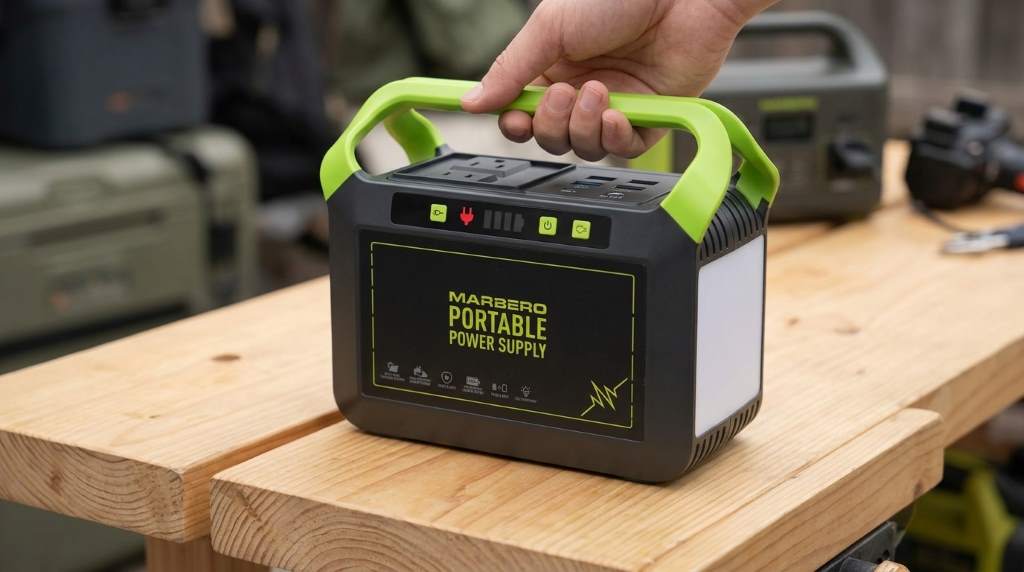
The Marbero 88Wh Power Station is a lightweight portable battery designed for small electronic devices. It provides convenient backup electricity without producing fuel emissions or loud operating noise.
Its lithium battery stores approximately 88 watt hours of energy. Multiple output ports support phones, tablets, cameras, LED lights, laptops, and several other compatible electronics.
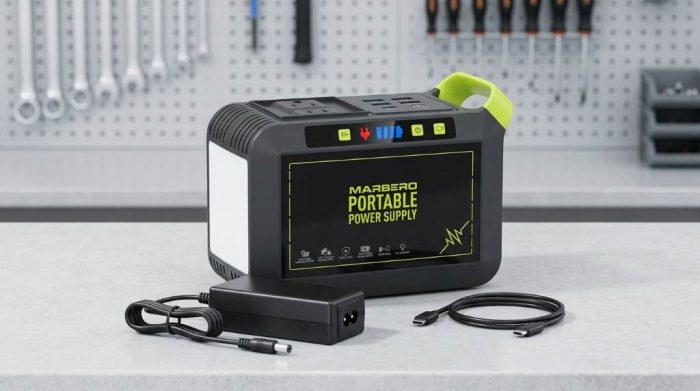
Understand the Main Controls Before Operation
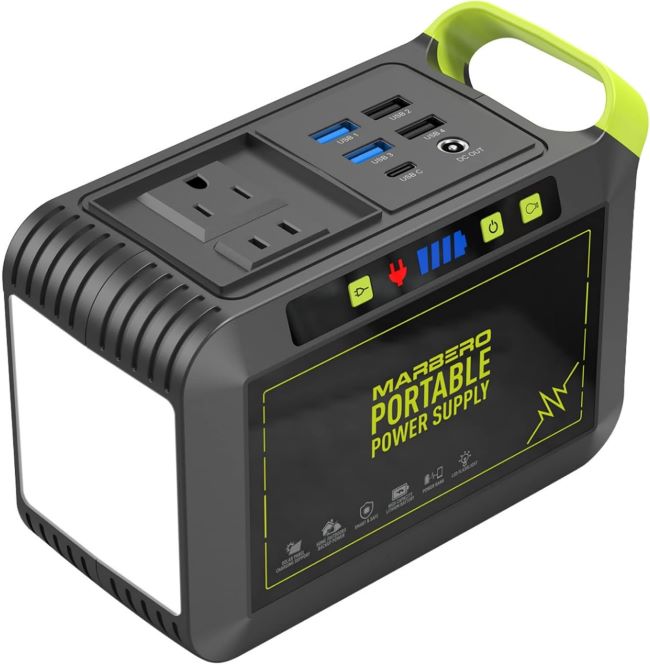
Learning the front panel makes daily operation much easier. Each button controls a specific output instead of powering every port automatically.
- Power button
- AC output button
- DC output button
- USB output ports
- LED display or battery indicators
- Input charging port
- Built in LED flashlight on supported models
Always identify each port before connecting equipment. Doing so reduces connection mistakes and protects sensitive electronic devices.
How to Charge the Marbero 88Wh Power Station
Step 1: Connect the Charger
Insert the supplied charging adapter into the input port carefully. Next, plug the adapter into a suitable wall outlet.
Step 2: Monitor Charging Progress
Battery indicators begin showing charging activity immediately after connection. Leave the unit connected until every battery indicator reaches full capacity.
Step 3: Disconnect After Full Charge
Unplug the charger once charging finishes completely. This simple habit helps reduce unnecessary battery stress during long storage periods.
How to Turn On the Power Station
Press the main power button according to the product instructions. Battery indicators should illuminate within a few seconds after activation.
Select the output type matching your connected device. Only activate the AC or DC function when you actually need that specific output.
How to Use USB Outputs
USB ports work well for charging portable electronics every day. Phones, earbuds, cameras, and tablets commonly use these convenient charging connections.
- Connect the USB cable securely.
- Press the USB or DC output button if required.
- Confirm the device begins charging normally.
- Disconnect after charging finishes.
How to Use the AC Outlet
The AC outlet supports compatible low power appliances within the rated output capacity. Always verify your device power requirement before making any connection.
Press the AC button before plugging in your appliance. Turn the AC function off immediately after completing your task.
How to Use the DC Output
Some camping equipment and portable accessories require DC power connections. Connect only compatible equipment that matches the supported voltage specifications.
After connecting your device, enable the DC output using the control button. Disconnect equipment before storing the power station after use.
Devices Suitable for the Marbero 88Wh Power Station
The compact battery works best with lower power electronics. Large household appliances exceed its designed operating capability.
- Smartphones
- Tablets
- Digital cameras
- Wireless speakers
- Portable fans
- LED camping lights
- Small laptops within supported power limits
- WiFi routers during temporary outages
Battery Runtime Expectations
Runtime depends mainly on battery capacity and connected device power consumption. Lower power devices naturally operate much longer than larger electronics.
| Device | Typical Runtime |
|---|---|
| Smartphone charging | Several full charges |
| LED camping light | Many hours |
| Portable fan | Several hours |
| Small laptop | About one partial or full charge depending on battery size |
Important Safety Tips
Safe operation protects both your equipment and the internal battery. Following basic precautions also extends the useful service life.
- Keep the unit dry during operation.
- Avoid direct sunlight for extended periods.
- Never block cooling vents.
- Do not exceed the rated output capacity.
- Use approved charging accessories.
- Store away from excessive heat.
- Keep children from operating the unit unsupervised.
Common Operating Mistakes to Avoid
Many performance problems result from simple operating mistakes instead of equipment failure. Fortunately, these issues remain easy to prevent.
- Running appliances above rated capacity
- Leaving unused outputs switched on
- Ignoring low battery warnings
- Using damaged charging cables
- Storing the battery completely discharged
Simple Maintenance Tips
Regular maintenance helps preserve battery health throughout years of normal ownership. Clean the exterior gently using a soft dry cloth.
Recharge the battery every few months during extended storage. Store the power station inside a cool and dry indoor environment whenever possible.
Basic Troubleshooting
The Power Station Will Not Turn On
Charge the battery fully before trying again. Also verify the power button remains pressed according to the operating instructions.
The Device Does Not Charge
Check every cable connection carefully before assuming hardware failure. Next, confirm the selected output matches the connected device requirements.
AC Output Stops Working
The overload protection may have activated automatically. Disconnect the appliance, restart the unit, and reduce the connected electrical load.
When Should You Recharge the Battery?
Recharge the battery whenever capacity falls to a low level. Avoid storing the power station with a completely empty battery.
Partial charging between uses supports healthy lithium battery performance. Consistent charging habits also improve long term reliability.
Final Thoughts
Learning how to operate Marbero 88Wh Power Station requires only a few simple steps. Proper charging, careful device selection, and regular maintenance help deliver dependable portable power whenever needed.
Review your user manual before connecting new equipment. Following these practical operating habits will help you enjoy safe and reliable performance for many years.
Frequently Asked Questions
How long does the Marbero 88Wh Power Station take to charge?
Charging typically requires several hours depending on the charger and remaining battery capacity.
Can I charge my phone while charging the power station?
Some models support pass through charging, but you should verify this in your product manual.
Can the Marbero 88Wh Power Station power household appliances?
It supports only compatible low power appliances within its rated output capacity.
Should I fully discharge the battery before recharging?
No, lithium batteries perform better with partial charging instead of complete discharge cycles.
How should I store the power station?
Store it in a cool, dry place with a partially charged battery for the best long term performance.