Charge the Jackery Explorer 1000 V2 Station by using an AC wall outlet, compatible solar panels, or a 12V vehicle outlet. Always use approved charging accessories, keep the station in a ventilated area, and confirm the input status on the display before leaving it unattended.
Portable power stations continue growing in popularity because they provide dependable backup power during outages and outdoor trips. Industry reports estimate portable power station demand continues rising with annual market growth above 8%, while renewable charging solutions also expand quickly. This guide explains exactly Jackery Explorer 1000 V2 portable power station charging methods with practical advice. You will also learn charging safety, battery care, and common mistakes that reduce battery performance.
Understand the Jackery Explorer 1000 V2 Charging System
The Explorer 1000 V2 supports several charging options for different situations. Each method delivers reliable performance when you follow the recommended setup.
Its built in battery management system protects the battery during charging. Therefore, the station automatically controls voltage, temperature, and charging current.
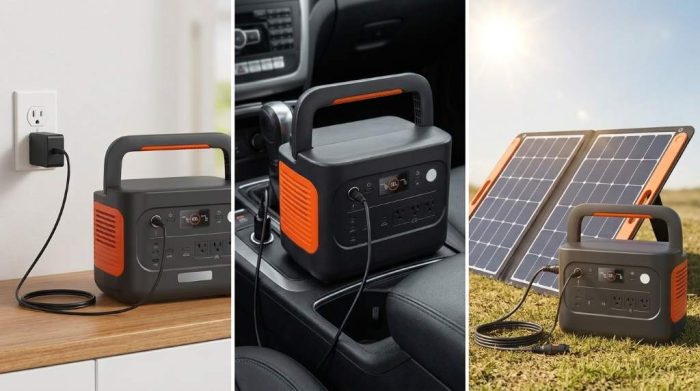
Available Charging Methods
AC Wall Outlet Charging
Wall charging remains the fastest and simplest option for daily use. Connect the supplied AC charging cable directly into a standard household outlet.
Next, insert the charging connector into the station input port securely. The display immediately shows charging power and battery percentage.
This method works well before camping trips, emergency preparation, or everyday backup needs. It also provides the most stable charging conditions.
Solar Panel Charging
Solar charging offers clean renewable energy without depending on electrical outlets. Compatible Jackery solar panels deliver the best charging compatibility.
Place the solar panels under direct sunlight without shadows across the surface. Then connect the solar cables firmly before checking the input wattage.
Cloud cover, panel angle, and sunlight intensity directly affect charging speed. Therefore, reposition the panels throughout the day for better efficiency.
Vehicle Charging
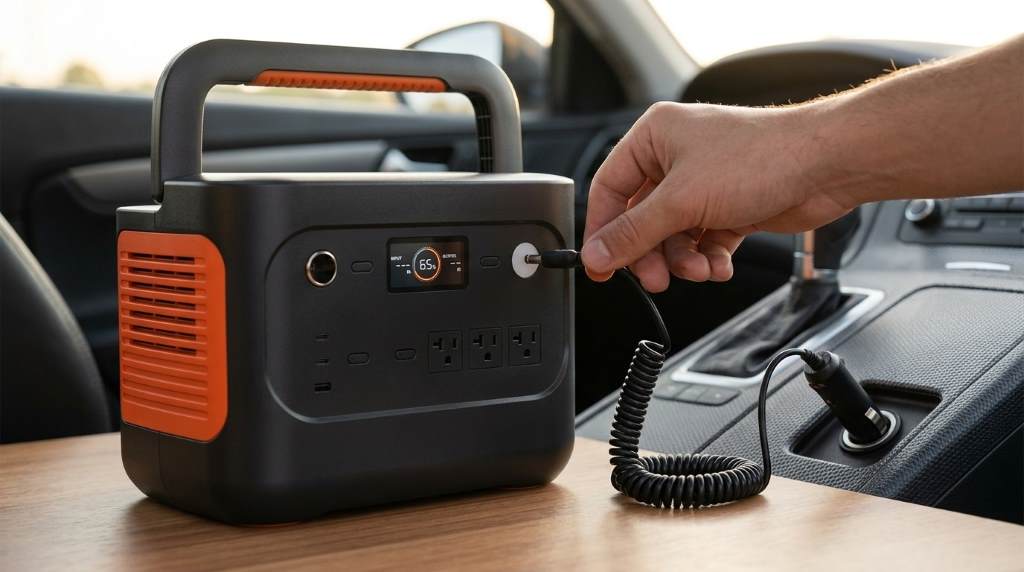
Vehicle charging becomes useful during long road trips or remote travel. Connect the station using the approved 12V vehicle charging cable.
Start the vehicle before charging begins to protect the vehicle battery. Afterwards, monitor charging progress using the display screen.
Step by Step Guide to Charge Jackery Explorer 1000 V2 Station
- Turn off unnecessary connected devices before charging.
- Choose the preferred charging method.
- Inspect all charging cables for visible damage.
- Connect the charging cable securely.
- Verify charging input on the display.
- Allow charging to continue until reaching the desired level.
- Disconnect the charger safely after completion.
Following these simple steps helps maintain consistent charging performance. Moreover, it reduces unnecessary wear on charging accessories.
How Long Does Charging Take?
Charging time depends on the selected power source and environmental conditions. Higher input power generally produces shorter charging times.
| Charging Method | Typical Speed | Best Use |
|---|---|---|
| AC Wall Outlet | Fastest | Home charging |
| Solar Panels | Variable | Outdoor use |
| Vehicle Outlet | Slowest | Travel charging |
Always review the display because charging conditions continuously change. Consequently, actual charging duration varies between environments.
Important Charging Safety Tips
- Keep the charging ports clean and dry.
- Use only compatible charging accessories.
- Avoid charging near direct heat sources.
- Place the station on a stable flat surface.
- Keep ventilation openings completely unobstructed.
- Disconnect damaged cables immediately.
Safe charging protects both the battery and connected equipment. Furthermore, proper handling extends long term reliability.
Common Charging Problems and Solutions
The Station Does Not Charge
First, inspect every cable connection carefully for loose fittings. Next, verify the outlet or power source operates correctly.
If the issue continues, restart the power station according to the user instructions. Afterwards, reconnect the charger and monitor the display.
Charging Is Slower Than Expected
Solar charging naturally slows during cloudy weather or partial shading. Therefore, improve sunlight exposure by adjusting panel placement.
Vehicle charging also produces lower charging speeds than wall charging. Consequently, longer charging sessions remain completely normal.
No Input Power Displayed
Reconnect every charging cable until each connection feels secure. Then confirm the selected charging source supplies electrical power.
If the display still shows zero input, inspect the accessories for visible damage. Replace faulty components before charging again.
Battery Care Best Practices
Regular battery care helps maintain dependable performance over many charging cycles. Good habits also reduce unnecessary battery stress.
- Store the station in a cool dry location.
- Recharge periodically during long storage.
- Avoid continuous exposure to extreme temperatures.
- Clean charging ports with a dry cloth.
- Keep firmware updated whenever available.
These simple practices help preserve battery capacity for future use. Additionally, they improve long term charging consistency.
When Should You Use Each Charging Method?
Wall charging works best before planned trips or emergency preparation. It provides dependable performance with minimal setup.
Solar charging becomes the preferred option during camping and outdoor adventures. Meanwhile, vehicle charging supports convenient power while traveling.
Final Thoughts
Learning how to charge Jackery Explorer 1000 V2 Station correctly helps maximize battery performance and daily reliability. Following approved charging methods, practicing safe handling, and maintaining the battery properly will support dependable operation for years.
Review your charging setup regularly, follow the manufacturer recommendations, and build good charging habits from the beginning. These simple steps help your portable power station remain ready whenever you need reliable backup power.
Frequently Asked Questions
Can I charge the Jackery Explorer 1000 V2 overnight?
Yes, the battery management system automatically manages charging safely with approved accessories.
Can I use solar and AC charging together?
Use only charging combinations officially supported by the manufacturer.
Can I use third party chargers?
Compatible approved chargers are recommended for safe and reliable operation.
Should I fully discharge the battery before charging?
No, regular partial charging supports healthy lithium battery performance.
Can I power devices while charging the station?
Yes, the station supports pass through operation when used within recommended limits.