Clean portable rechargeable fans by turning them off, disconnecting the charging cable, removing dust, and gently wiping every accessible part. Regular cleaning improves airflow, reduces motor strain, and helps the fan last longer while keeping it safe to use.
Dust buildup reduces airflow by up to 30% in small cooling devices over time. Meanwhile, regular maintenance can significantly improve airflow efficiency and extend product lifespan. If you use Portable rechargeable fans, cleaning them every few weeks keeps performance steady and prevents unnecessary wear. This guide explains every cleaning step using simple methods that protect both the fan and its rechargeable battery.
Why Regular Cleaning Matters
Portable rechargeable fans collect dust because they constantly pull air through narrow vents. Fine particles eventually cover the blades, grille, and motor housing.
As a result, dirty blades move less air and force the motor to work harder. Regular cleaning restores airflow while reducing unnecessary stress on internal components.
Furthermore, clean fans produce less noise during operation. They also circulate fresher air by removing accumulated dirt and debris.
Items You Need Before Cleaning
Gather all supplies before opening or cleaning the fan. Using suitable tools helps prevent scratches and accidental damage.
- Soft microfiber cloth
- Small soft brush
- Cotton swabs
- Compressed air
- Mild dish soap
- Warm water
- Small screwdriver if required
- Dry towel
Safety Steps Before You Begin
Always switch the fan completely off before cleaning any part. Disconnect every charging cable from the device immediately.
Allow the fan blades to stop spinning naturally before handling them. Never force moving parts with your hands.
Additionally, avoid exposing the battery compartment to moisture. Water inside electronic components may permanently damage the fan.
How to Clean Portable Rechargeable Fans Step by Step
Step 1: Turn Off the Fan
Power off the fan using its control button before cleaning begins. Remove every charging connection to eliminate electrical risks.
Next, place the fan on a stable flat surface with good lighting. This position makes every cleaning step easier.
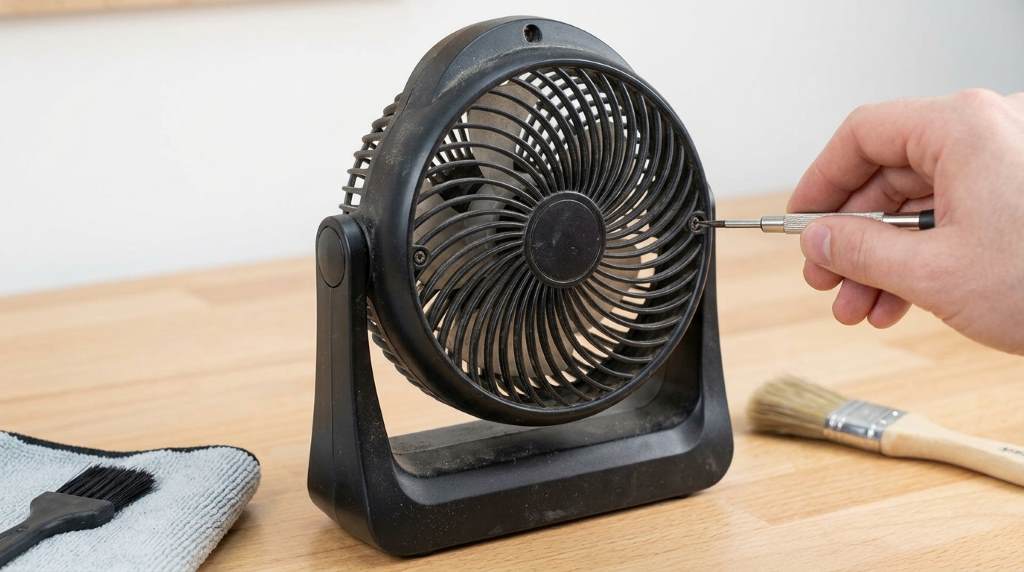
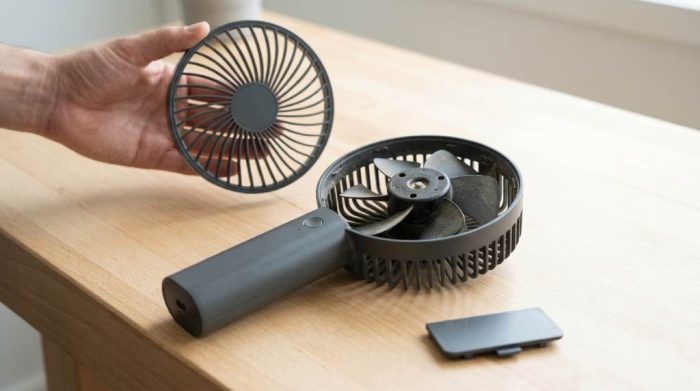
Step 2: Remove the Front Grille
Many portable fans use clips or small screws for the front grille. Carefully release them without applying excessive pressure.
Store screws in a small container to prevent accidental loss. Follow the product manual whenever the design differs.
Step 3: Remove Loose Dust
Use a soft brush to remove visible dust from every surface. Brush gently around the blades and protective grille.
Afterward, blow compressed air into narrow openings. This step removes dust trapped around the motor housing.
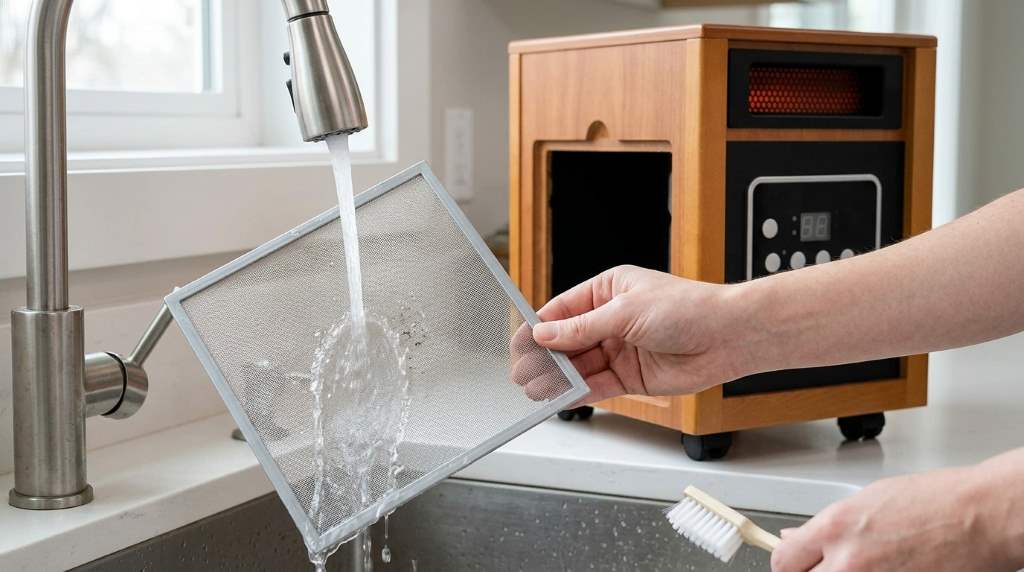
Step 4: Wash the Removable Parts
Wash removable plastic parts using warm water mixed with mild dish soap. Clean every surface with a soft cloth.
Rinse thoroughly before placing every part on a towel. Allow complete air drying before reassembly.
Step 5: Clean the Fan Blades
Wipe each blade using a damp microfiber cloth with light pressure. Remove every sticky spot without soaking the material.
Meanwhile, use cotton swabs around blade connections and tight corners. These areas often collect stubborn dust.
Step 6: Clean the Fan Body
Wipe the outer housing using a slightly damp microfiber cloth. Remove fingerprints, dust, and surface dirt carefully.
Avoid spraying cleaner directly onto the fan body. Instead, apply moisture only to the cleaning cloth.
Step 7: Dry Every Component
Dry every cleaned part completely before putting the fan together. Moisture remaining inside may affect electrical components.
Leave all removable pieces in open air until fully dry. Patience prevents future operating problems.
Step 8: Reassemble the Fan
Reconnect every cleaned component using the original screws or clips. Confirm every section fits securely without gaps.
Finally, turn the fan on and check airflow. Smooth operation confirms successful cleaning.
How to Clean Fans Without Removing the Grille
Some compact models have sealed grilles that cannot be removed safely. Fortunately, basic cleaning still works well.
- Brush visible dust through the grille openings.
- Use compressed air from different angles.
- Wipe accessible areas with a microfiber cloth.
- Clean air vents using cotton swabs.
- Never insert sharp objects inside the fan.
Cleaning Mistakes to Avoid
Several common mistakes shorten the lifespan of rechargeable fans. Avoiding them protects both performance and safety.
- Cleaning while the fan remains powered.
- Using strong chemical cleaners.
- Soaking electronic parts in water.
- Forcing plastic clips during removal.
- Reassembling before complete drying.
- Using rough brushes on delicate surfaces.
How Often Should You Clean Your Fan?
Most users should clean portable rechargeable fans every two to four weeks. Dusty environments require more frequent maintenance.
Pet owners should inspect fans weekly because fur blocks airflow quickly. Frequent cleaning keeps cooling performance consistent.
Battery Care During Cleaning
Rechargeable batteries require careful handling during maintenance. Keep every charging port dry throughout the cleaning process.
Also, inspect the charging cable for visible wear before reconnecting it. Replace damaged accessories immediately for safe operation.
Storage Tips After Cleaning
Store the fan in a cool and dry location after every cleaning session. Excessive heat may reduce battery lifespan.
Cover the fan with a clean cloth during long storage periods. This simple habit minimizes future dust accumulation.
Signs Your Fan Needs Immediate Cleaning
Several warning signs indicate the fan requires maintenance without delay. Responding early prevents bigger performance problems.
- Weak airflow despite full battery.
- Unusual operating noise.
- Visible dust on blades.
- Motor becomes warmer than usual.
- Air smells dusty during operation.
Simple Maintenance Tips for Longer Performance
Regular maintenance requires only a few minutes each month. Consistent care keeps cooling performance reliable.
- Clean dust before thick buildup appears.
- Charge using the recommended charger.
- Avoid dropping the fan.
- Store in clean environments.
- Inspect vents regularly.
- Keep liquids away from electronic parts.
Conclusion
Learning how to clean portable rechargeable fans helps maintain stronger airflow, quieter operation, and longer product life. Regular maintenance also protects the rechargeable battery and internal motor.
Start following these simple cleaning steps today and include them in your regular home maintenance routine. Your fan will perform better, last longer, and provide dependable cooling whenever you need it.
Frequently Asked Questions
Can I wash portable rechargeable fans with water?
No, wash only removable plastic parts while keeping electronic components completely dry.
How often should I clean my portable rechargeable fan?
Clean it every two to four weeks depending on dust exposure.
Can compressed air damage the fan?
No, use short gentle bursts from a safe distance.
Should I remove the battery before cleaning?
Remove it only if the manufacturer specifically allows battery removal.
What cleaner works best for fan blades?
Mild dish soap with warm water safely cleans removable plastic blades.