To run the EF ECOFLOW DELTA 3 Classic Station, fully charge the battery, connect the required devices, and power them through the correct output ports. Next, monitor the display screen, manage the power load wisely, and recharge the unit before the battery becomes critically low.
Portable power stations continue gaining popularity because reliable backup electricity matters during outages and outdoor activities. Recent market reports estimate portable power station demand continues growing at a strong annual rate above 8%. Additionally, more homeowners now invest in battery powered backup systems for everyday convenience. If you want detailed product information, explore the EF ECOFLOW DELTA 3 Classic portable power station before getting started.
Understand the EF ECOFLOW DELTA 3 Classic Station
The EF ECOFLOW DELTA 3 Classic Station stores electricity inside a rechargeable lithium battery. It supplies clean AC and DC power for compatible household devices and electronic equipment.
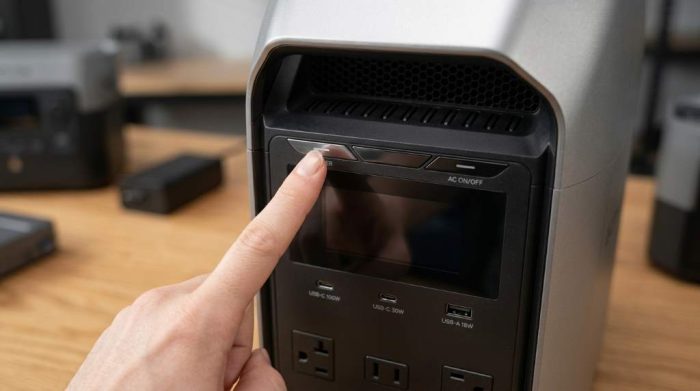
The built in display provides battery percentage, charging status, output power, and remaining runtime estimates. Therefore, users can quickly understand operating conditions without additional equipment.
Prepare Before Running the Station
Preparation improves performance while reducing unnecessary battery stress. Moreover, simple checks help prevent operating mistakes during important situations.
Inspect the Unit
- Check the housing for visible damage.
- Inspect all charging and output ports.
- Confirm ventilation openings remain unobstructed.
- Verify the display powers on correctly.
Fully Charge the Battery
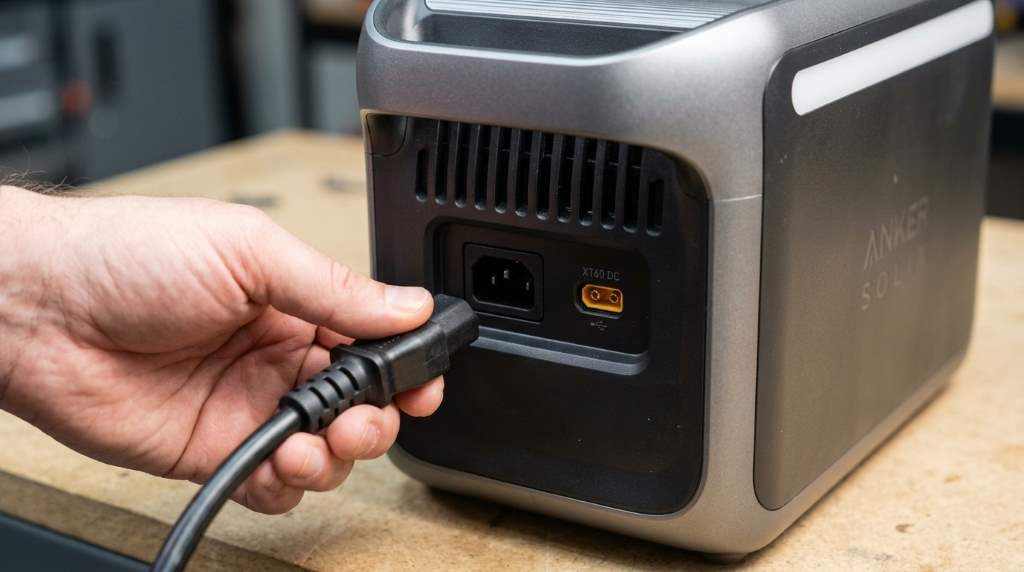
Connect the supplied charging cable to a suitable electrical outlet before first use. Afterwards, allow the battery to reach full capacity for the best performance.
A complete charge helps the battery management system calibrate correctly. Consequently, runtime estimates become more accurate during future operation.
How to Run EF ECOFLOW DELTA 3 Classic Station Step by Step
Step 1: Place the Station Properly
Position the power station on a flat, stable, dry surface with good airflow. Also, avoid enclosed spaces because heat reduces operating efficiency.
Step 2: Turn On the Main Power
Press the main power button until the display activates. Then, verify the battery level before connecting any electrical devices.
Step 3: Enable the Required Output
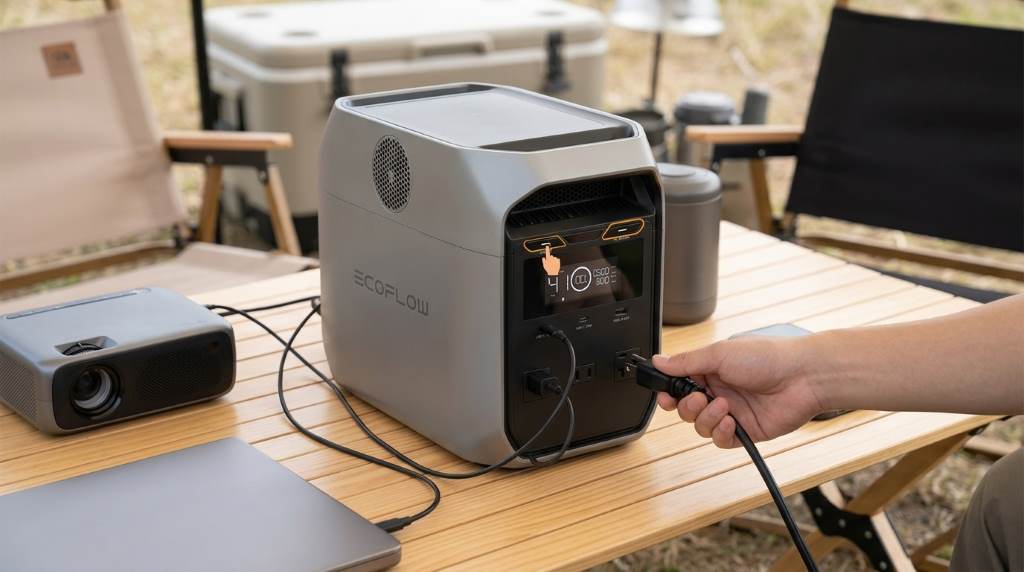
Select the AC, USB, or DC output depending on your equipment. Furthermore, activate only the outputs currently needed to reduce unnecessary battery consumption.
Step 4: Connect Your Devices
Plug compatible devices into the correct ports using quality cables. Likewise, secure loose connections before operating valuable electronics.
Step 5: Monitor Power Usage
Watch the display for total output wattage and remaining battery percentage. Therefore, disconnect unnecessary equipment whenever power demand becomes excessive.
Step 6: Turn Off After Use
Disconnect every connected device before shutting down the station. Finally, press the power button to switch the unit completely off.
Best Devices to Power
The station supports many everyday appliances within its rated power limits. However, always verify device requirements before connecting expensive equipment.
- Laptops
- Desktop monitors
- Smartphones
- Tablets
- Wireless routers
- LED lighting
- Portable refrigerators
- Medical equipment within supported ratings
- Small kitchen appliances within supported limits
Charging Methods
The station supports multiple charging options for different situations. Consequently, users can restore battery capacity almost anywhere.
AC Wall Charging
Wall charging remains the fastest and most convenient method for regular home use. Always use approved charging accessories for dependable performance.
Solar Charging
Compatible solar panels provide renewable charging during outdoor activities. However, sunlight intensity directly affects charging speed throughout the day.
Vehicle Charging
You can recharge while driving using a compatible vehicle connection. Nevertheless, vehicle charging generally requires more time than wall charging.
Tips for Better Battery Performance
Proper battery care extends useful service life while maintaining reliable performance. Additionally, consistent maintenance reduces long term operating problems.
- Recharge before battery levels become extremely low.
- Store the unit in moderate temperatures.
- Keep ventilation openings clean.
- Disconnect unused outputs.
- Avoid continuous overload conditions.
- Recharge stored batteries periodically.
Common Operating Mistakes
Many users reduce efficiency through avoidable operating habits. Fortunately, correcting these mistakes improves both safety and battery longevity.
- Blocking cooling vents.
- Using damaged charging cables.
- Ignoring output power limits.
- Leaving unnecessary outputs enabled.
- Operating in excessive heat.
- Storing with a completely empty battery.
Troubleshooting Basic Problems
The Station Does Not Turn On
Recharge the battery and hold the power button according to operating instructions. Otherwise, inspect the charger and power source before trying again.
Connected Devices Receive No Power
Confirm the correct output mode remains enabled before checking cable connections. Also, verify the connected device falls within supported power ratings.
Battery Drains Faster Than Expected
High power appliances naturally reduce runtime compared with smaller electronics. Therefore, disconnect unnecessary devices whenever possible.
Charging Appears Slow
Inspect charging accessories and confirm they match supported specifications. Likewise, improve airflow because excessive heat may reduce charging performance.
Safety Guidelines
Safe operation protects both the equipment and connected electronics. Moreover, following manufacturer recommendations helps maintain dependable performance.
- Keep the station dry.
- Never cover ventilation openings.
- Avoid dropping the unit.
- Use approved charging accessories.
- Operate within supported temperature ranges.
- Keep children away during operation.
Conclusion
Learning how to run EF ECOFLOW DELTA 3 Classic Station becomes simple after understanding charging, power management, and safe operation. By following these practical steps, you can maximize battery performance while protecting connected devices.
Start using these recommendations today, maintain the station regularly, and always follow the official operating instructions for dependable long term performance.
FAQs
How do I turn on the EF ECOFLOW DELTA 3 Classic Station?
Press the main power button until the display screen becomes active.
Can I power several devices simultaneously?
Yes, provided the combined power demand remains within the supported output rating.
Can I charge the station with solar panels?
Yes, compatible solar panels can recharge the battery under suitable sunlight conditions.
Should I fully charge the battery before first use?
Yes, a full initial charge helps deliver accurate battery management and better performance.
How should I store the power station?
Store it in a cool, dry place with a partially charged battery and recharge periodically.