Using the Jackery Explorer 300 Power Station is simple. Fully charge the unit, connect your device to the correct output port, and press the matching power button before use. This method helps protect both the power station and your connected electronics.
The portable power station market continues growing as more households prepare for outages and outdoor activities. Studies estimate millions of portable power units are used across homes and recreational settings each year. Many users trust the Jackery Explorer 300 portable power station because of its lightweight design and dependable battery technology. This guide explains every important step with practical tips for safe and efficient daily use.
Understand the Jackery Explorer 300 Power Station
The Jackery Explorer 300 is a compact lithium portable power station. It stores energy for charging electronics during travel, emergencies, or outdoor activities. Multiple output options support different everyday devices safely.
The unit includes AC outlets, USB ports, USB C charging, and a DC car output. A built in battery management system protects against overheating and overcharging. Consequently, users enjoy reliable performance with proper operation.
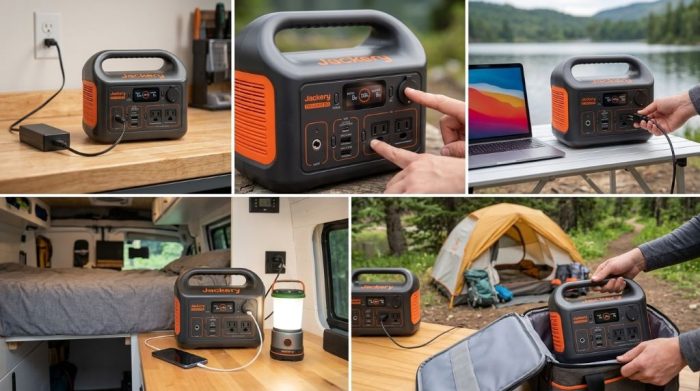
Check the Package Before First Use
Open the package carefully and inspect every included accessory. Make sure nothing appears damaged before connecting the unit to electricity. Contact the seller immediately if anything looks defective.
The standard package usually includes the following items.
- Jackery Explorer 300 Power Station
- AC charging adapter
- Car charging cable
- User manual
- Warranty documentation
Charge the Power Station Before Using
Always charge the battery completely before powering important devices. A full charge improves battery calibration and provides the maximum available runtime. Therefore, first time charging is highly recommended.
Charge with a Wall Outlet
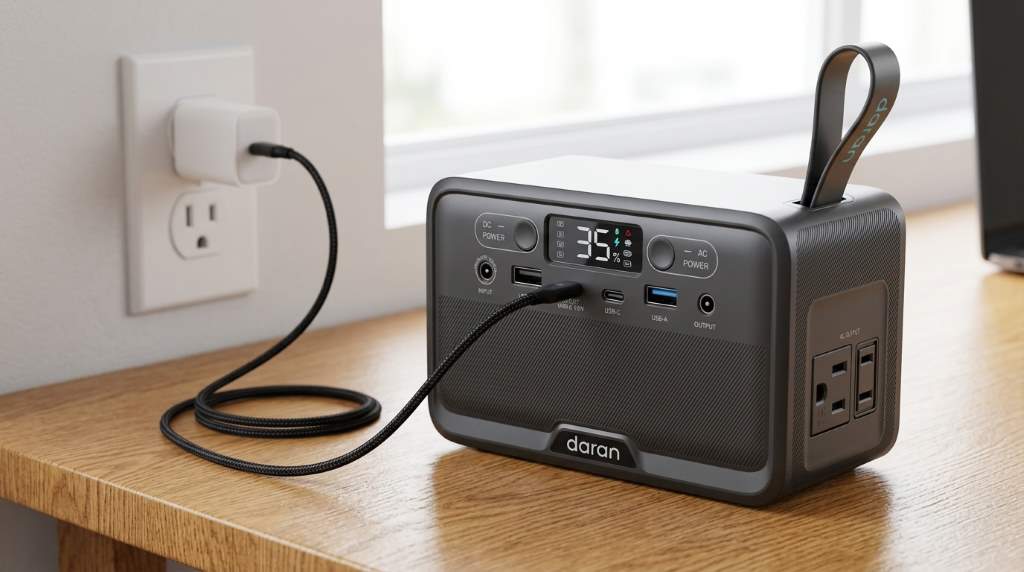
Connect the AC adapter to the charging port securely. Next, plug the adapter into a standard wall outlet. The display shows charging progress until completion.
Charge with a Vehicle
Use the included car charging cable during road trips. Start the vehicle before connecting the power station for stable charging. This method works well while driving long distances.
Charge with Compatible Solar Panels
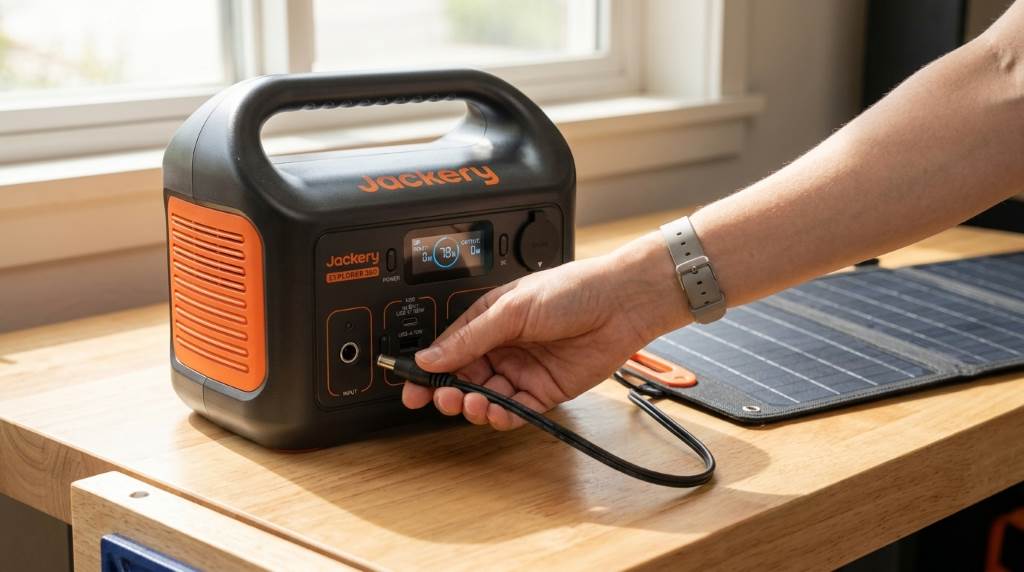
Compatible solar panels provide clean renewable charging outdoors. Place the panels under direct sunlight for better efficiency. However, cloudy weather naturally reduces charging speed.
Learn the Display Screen
The display provides important operating information during every session. It shows battery percentage, input power, output power, and warning indicators. Reading the screen regularly prevents unexpected battery depletion.
Monitor the remaining battery before connecting high demand appliances. Lower battery levels reduce available runtime for larger devices. As a result, planning becomes much easier.
Power On the Correct Output
Select the output that matches your device requirements. Press the dedicated button for AC, USB, or DC power. The selected output activates after the indicator light appears.
Connect devices only after enabling the correct output section. This simple habit reduces connection mistakes and improves user convenience. Additionally, it supports efficient energy use.
Connect Different Types of Devices
The Explorer 300 supports many everyday electronic products. Always confirm the power requirements before connecting any appliance. This prevents overload conditions and protects the battery.
USB Devices
Phones, tablets, cameras, and wireless accessories connect through USB ports. Use quality charging cables for stable performance. Fast charging depends on both cable quality and device compatibility.
AC Powered Devices
Small laptops, televisions, projectors, and fans can operate from the AC outlets. Confirm that the appliance stays within the rated output capacity. Otherwise, overload protection may activate automatically.
DC Devices
Portable coolers, vehicle accessories, and selected camping equipment use the DC output. Check the voltage requirements before connecting each device. Proper compatibility improves long term reliability.
Best Practices for Daily Operation
Using the power station correctly extends battery life significantly. Small operating habits also improve safety and overall performance. Therefore, follow these practical recommendations consistently.
- Recharge before the battery reaches extremely low levels.
- Disconnect unused devices after charging finishes.
- Store the unit in a cool dry location.
- Keep ventilation openings completely unobstructed.
- Use original charging accessories whenever possible.
- Inspect cables regularly for visible damage.
How Long Can It Power Your Devices
Runtime depends on battery capacity and device power consumption. Smaller electronics operate much longer than larger appliances. Consequently, estimating power needs improves trip planning.
| Device | Typical Runtime |
|---|---|
| Smartphone | Many full charges |
| Laptop | Several charging sessions |
| Portable Fan | Multiple hours |
| LED Light | Many hours |
| Camera Battery Charger | Several charging cycles |
Important Safety Tips
Safe operation protects both users and connected electronics. Always follow the manufacturer’s recommendations during charging and storage. Good maintenance prevents unnecessary equipment failures.
- Keep the unit away from standing water.
- Avoid direct exposure to excessive heat.
- Never block cooling ventilation areas.
- Do not modify internal components.
- Disconnect damaged accessories immediately.
Common Mistakes to Avoid
Many problems result from simple operating mistakes instead of hardware failures. Fortunately, most issues are easy to prevent with proper habits. Learning these mistakes saves both time and battery life.
- Using appliances beyond the rated output.
- Leaving the battery completely discharged for long periods.
- Charging with incompatible accessories.
- Ignoring battery level before long trips.
- Blocking airflow around the cooling vents.
Simple Maintenance Tips
Clean the exterior with a soft dry cloth regularly. Remove dust from ventilation openings without using liquids. Regular cleaning improves airflow and appearance.
Recharge the battery occasionally during long storage periods. Moderate battery levels help preserve long term battery health. Consistent maintenance supports dependable future performance.
Conclusion
Learning how to use Jackery Explorer 300 Power Station requires only a few simple steps. Charge it fully, choose the correct output, and operate within its rated capacity. Following these recommendations improves safety, battery life, and overall reliability.
Start using these practical tips today to get dependable portable power wherever you need it. Consistent care helps your power station perform efficiently for many years.
Frequently Asked Questions
How long does the Jackery Explorer 300 take to charge?
Charging time depends on the charging method and battery level.
Can I use the power station while charging?
Yes, the unit supports pass through charging under supported operating conditions.
Can the Explorer 300 power a laptop?
Yes, it can power many laptops that remain within the supported output capacity.
Should I fully discharge the battery before recharging?
No, regular partial charging helps maintain healthy lithium battery performance.
Can I store the power station for several months?
Yes, store it partially charged in a cool dry location and recharge periodically.